If you’ve ever stood in a crowded retail space, a corporate conference room, or a community center’s lobby, you’ve probably wondered about the big, bright screens mounted on walls—how they stay secure, how they blend in with the room, and whether they’re actually meant to hang there. As a digital display supplier, I get this question all the time: Can a digital display be wall-mounted? The short answer is yes. But the long answer is the stuff that makes or breaks a good installation—one that doesn’t just look good, but works reliably for years, no matter the environment. Digital Display

Let me start with a quick personal story that’s stuck with me for years. Early in my career, I was working with a small local café that wanted to replace their clunky paper menu boards with a sleek digital display. The owner picked out a popular 55-inch flat-screen TV (it was the only one that fit their budget) and asked their part-time handyman to mount it. A month later, they called me in panicking: the screen was tilted at a weird angle, the HDMI cable was running across the floor, and a corner had started to peel away from the wall. That experience taught me that wall-mounting a digital display isn’t just about drilling a hole and hanging something. It’s about matching the right display, the right mount, and the right installation to where it’s going to live.
First, let’s clear up a common myth: not all digital displays are built to be wall-mounted, but most commercial-grade ones are. Residential TVs (like the one the café owner picked) often have flimsy back panels that aren’t designed to support the screen’s weight when it’s set flush against a wall, and they don’t have the VESA mounting pattern you need to attach a stable mount. For commercial displays—think the signs you see at grocery stores, the video walls in airports, or the information screens at hospital entrances—VESA compatibility is non-negotiable. VESA, or the Video Electronics Standards Association, sets a standard for the hole patterns on the back of displays, so mounts from different manufacturers will fit. If you’re buying a digital display specifically for wall-mounting, that’s the first spec to check. Skip it, and you’re looking at a botched job or a damaged screen before it even turns on.
Next, the mount itself. This isn’t a one-size-fits-all part. There are four main types of wall mounts, and each serves a different purpose. Fixed mounts are the simplest—they hold the display straight against the wall, no movement. These are great for spaces where the display is viewed from a single angle, like a storefront or a classroom whiteboard. Swivel mounts let you tilt the screen left or right, which is perfect for open offices where people might be standing in different spots. Tilt mounts adjust up and down, which is useful if the display is going to be installed high on a wall, so you can lower the viewing angle for people sitting or standing below. There are also full-motion mounts, which let you adjust the screen in almost any direction, ideal for conference rooms where you might need to pivot the display for different groups.
But here’s the part most people forget: the wall itself. A mount is only as strong as the surface it’s attached to. We’ve had clients try to mount 65-inch displays on drywall that wasn’t reinforced with studs, and within weeks, the whole thing started pulling away. For standard drywall, you need to hit a stud—those wooden or metal framing beams inside the wall—every 16 or 24 inches, depending on your location. If you’re mounting a larger display (75 inches or more) or a heavy outdoor digital display, you’ll need to use a wall anchor or even a reinforcing bracket to distribute the weight across more of the wall. Outdoor displays add an extra layer too: they need weatherproof mounts, sealed cable connections, and sometimes even a protective casing to shield them from rain, wind, and temperature swings. I remember a client in Florida who installed a regular indoor digital display outside their restaurant and lost it to saltwater corrosion in less than six months. That’s a costly mistake that could have been avoided with the right mount and environment-specific prep.
Another big factor is the display’s size and weight. A 32-inch small-format display for a café menu weighs around 15 to 20 pounds, which is manageable for most simple mounts. But a 98-inch commercial display can weigh 100 pounds or more, and video wall panels add even more weight when you’re lining up multiple screens. For these heavy-duty setups, you might need a professional installer to run electrical wires through the wall, hide cable runs, and make sure the entire structure is level and secure. We’ve seen video walls that looked amazing for a month, then started to develop gaps between the panels because the mount wasn’t anchored properly to support the combined weight. It’s not just about looks—it’s about functionality. A gap between display panels makes the content look disjointed, and it can even strain the hardware over time.
Wait a second—what about displays that aren’t commercial-grade? I mentioned the café TV story earlier. Those residential flat-screens often have thinner back panels, and some even have glass backs that can crack if you over-tighten the mount screws. That’s why I always recommend commercial-grade displays for wall-mounting, especially in high-traffic or public spaces. Commercial displays are built to run 24/7, whereas most residential TVs are designed for only a few hours of use a day. They also have better heat dissipation, which is important when you’re pressing a display flush against a wall—trapped heat can shorten a screen’s lifespan drastically.
Let’s talk about cable management too, because it’s a huge part of a wall-mounted display’s overall look and function. A messy pile of wires running down a wall looks unprofessional, and it can also be a safety hazard, especially in places with kids or high foot traffic. The best way to handle cables is to run them inside the wall, behind the display. That means fishing HDMI, power, and any other necessary cables through drilled holes in the wall, or using a raceway—a decorative channel that hides cables along the wall surface. Raceways are perfect for older buildings where drilling through the wall isn’t an option. I always tell clients to label every cable on both ends, too. There’s nothing more frustrating than having to take a display off the wall to figure out which cord powers it or connects to the media player.
Now, what about niche use cases? Can you wall-mount a curved display? Yes, but you need a mount that’s specifically made for curved screens. Regular flat mounts won’t sit flush against the screen, leaving gaps that ruin the look. Curved displays are great for immersive experiences, like in a luxury retail store or a home theater, so matching the right mount is key. What about outdoor digital displays? As I mentioned earlier, outdoor units have weatherproofing, but their wall mounts need to be made of rust-resistant materials, like stainless steel or aluminum, to handle rain, snow, and UV exposure. We installed a series of outdoor wall-mounted displays for a national park visitor center last year, and we used powder-coated steel mounts that can withstand -20 degree winters and 100+ degree summer heat without rusting.
There’s also the question of maintenance. Wall-mounted displays are often out of reach, so you need to be able to access them for updates, repairs, or cleaning. That’s why many commercial mounts have quick-release mechanisms that let you pull the display off the wall in seconds, without having to unscrew anything. For displays that are high on the wall, you might need a mount that lets you lower the screen to a comfortable height for maintenance. Cleaning is another thing—wall-mounted displays can collect dust, especially in dusty environments like warehouses or construction sites. A sealed glass front is important to keep dust out, and a mount that lets you gently tilt the screen forward makes it easier to wipe down the surface without taking the whole thing down.
Over the years, we’ve heard a lot of horror stories from clients who tried to wall-mount a display on their own and ended up with a broken screen, a damaged wall, or a display that doesn’t work as intended. One client in a corporate office tried to mount a 75-inch display over their conference room table, and they drilled into a water line behind the wall, leading to a flood that damaged the carpet and their conference furniture. That’s why we always recommend working with a professional if you’re dealing with a large, heavy, or complex setup. As a digital display supplier, we don’t just sell displays—we offer guidance on the right mount, the right installation, and even referrals to trusted installers in most areas.
So to circle back to the original question: Can a digital display be wall-mounted? Absolutely. But it’s not as simple as grabbing any old screen and a drill. It requires choosing a display that’s designed for wall-mounting (commercial grade, VESA compatible), picking the right mount for your space, ensuring your wall can support the weight, planning for cable management, and considering the environment the display will live in. Whether you’re replacing a paper menu board for your small business, setting up a video wall for a corporate headquarters, or adding information screens to a hospital lobby, a properly wall-mounted digital display can transform a space, improve communication, and even boost sales.
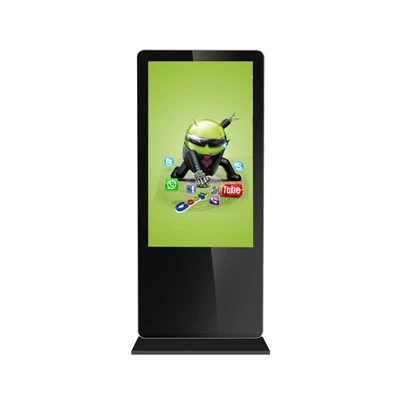
If you’re ready to invest in a wall-mounted digital display for your space, or you have questions about which display and mount will work best for you, we’re here to help. Our team has years of experience working with all types of businesses, from small local shops to large national chains, and we can walk you through every step of the process, from choosing the right hardware to coordinating installation. Reach out to our team to start your project and get a tailored solution that fits your needs and budget.
Hologram Showcase References
- Video Electronics Standards Association. (2023). VESA Mounting Interface Standard for Flat Panel Displays.
- DisplaySearch. (2022). Commercial Digital Display Installation Best Practices for Wall Mounts.
- National Electrical Manufacturers Association. (2021). Guidelines for Cable Management in Commercial AV Installations.
- Outdoor Retail Technology Association. (2023). Environmental Specs for Wall-Mounted Outdoor Digital Displays.
- Underwriters Laboratories. (2022). Safety Standards for Wall-Mounted Commercial Display Installations.
Shanghai Vestouch Electronics Co., Ltd.
We are one of the most professional digital display manufacturers and suppliers in China, also support customized service. Please feel free to wholesale bulk advanced digital display in stock here from our factory. Welcome to contact us for quotation.
Address: Building 8, No.1098 Chuansha Road, Pudong New Area, Shanghai.
E-mail: yihong@vestouch.com
WebSite: https://www.cnvestouch.com/
